Introduction
Ubuntu Server version 18.04 LTS uses the debian-installer (d-i) for the installation process. This includes support for 'preseeding' to create unattended (automated) installations of ubuntu.
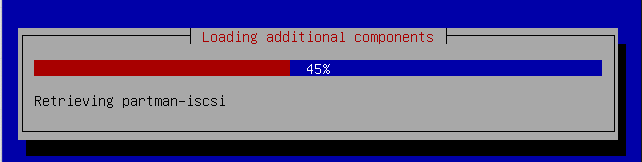
the debian installer
With the introduction of Ubuntu Server 20.04 'Focal Fossa' LTS, back in April 2020, Canonical decided that the new 'subiquity server installer' was ready to take it's place.
After the new installer gained support for unattended installation, it was considered ready for release. The unattended installer feature is called 'Autoinstallation'.
I mostly run Ubuntu 18.04 LTS installations but I decided in February 2021 that I should get more acquainted with 20.04 LTS, especially when I discovered that preseeding would no longer work.
In this article I assume that the reader is familiar with PXE-based unattended installations.
20.04 LTS and 22.04 LTS Can't install on USB drive (Update Aug 2022)
I run a few HP Microservers that boot from a SATA SSD in an USB drive enclosure using the internal USB header. Automated installs for Ubuntu 18.04 LTS have no problem installing and booting from a USB device.
Unfortunately, both Ubuntu 20.04 and 22.04 LTS install fine, but no matter what I do, they won't boot from USB. I've tried different enclosures and most of then won't work. Only one powered USB dock (that is way to big to fit inside the Microserver) does work and let 22.04 boot from USB.
Again: Ubuntu 18.04 and the Latest Debian work fine so this seems an issue specific to the new Autoinstall mechanism.
Note: I didn't try this on other hardware (which I don't have) so it might be an issue specific to the HP Microserver Gen8.
Why this new installer?
Canonical's desire to unify the codebase for Ubuntu Desktop and Server installations seems to be the main driver for this change.
From my personal perspective, there aren't any new features that benefit my use-cases, but that could be different for others. It's not a ding on the new Autoinstaller, it's just how I look at it.
There is one conceptual difference between the new installer and preseeding. A preseed file must answer all questions that the installer needs answered. It will switch to interactive mode if a question is not answered, breaking the unattended installation process. From my experience, there is a bit of trial-and-error getting the preseed configuration right.
The new Subiquity installer users defaults for all installation steps. This means that you can fully automate the installation proces with just a few lines of YAML. You do't need an answer for each step.
The new installer as other features such as the ability to SSH into an installer session. It works by generating an at-hoc random password on the screen / console which you can use to logon remotely over SSH. I have not used it yet as I never found it necessary.
Documentation is a bit fragmented
As I was trying to learn more about the new Autoinstaller, I noticed that there isn't a central location with all relevant (links to) documentation. It took a bit of searching and following links, to collect a set of useful information sources, which I share below.
| Link |
Description |
Reference Manual ![]() |
Reference for each particular option of the user-data YAML |
| Introduction |
An overview of the new installer with examples |
| Autoinstall quick start |
Example of booting a VM using the installer using KVM |
| Netbooting the installer |
A brief instruction on how to setup PXE + TFTP with dnsmasq in order to PXE boot the new installer |
| Call for testing |
Topic in which people give feedback on their experience with the installer (still active as of February 2021) with a lot of responses |
| Stack Exchange post |
Detailed tutorial with some experiences. |
| Medium Article |
Contains an example and some experiences. |
| github examples |
Github repo with about twenty examples of more complex configurations |
The reference documentation only supports some default use-cases for the unattended installation process. You won't be able to build more complex configuration such as RAID-based installations using this reference.
Under-the-hood, the installer uses curtin. The linked documentation can help you further build complex installations, such as those which use RAID.
I think the curtin syntax is a bit tedious and fortunately it is probably not required to learn curtis and piece together more complex configurations by hand.
There is a nice quality-of-life feature that takes care of this.
More on that later.
How does the new installer work?
With a regular PXE-based installation, we use the 'netboot' installer, which consists of a Linux kernel and an initrd image (containing the actual installer).
This package is about 64 Megabytes for Ubuntu 18.04 LTS and it is all you need, assuming that you have already setup a DHCP + TFTP + HTTP environment for a PXE-based installation.
The new Subiquity installer for Ubuntu 20.04 LTS deprecates this 'netboot' installer. It is not provided anymore. Instead, you have to boot a 'live installer' ISO file which is about 1.1 GB in size.
The process looks like this:
- Download the Live installer ISO
- Mount the iso to acquire the 'vmlinuz' and 'initrd' files for the TFTP root
- Update your PXE menu (if any) with a stanza like this:
LABEL focal2004-preseed
                MENU LABEL Focal 20.04 LTS x64 Manual Install
                KERNEL linux/ubuntu/focal/vmlinuz
                INITRD linux/ubuntu/focal/initrd
                APPEND root=/dev/ram0 ramdisk_size=1500000 ip=dhcp url=http://10.10.11.1/ubuntu-20.04.1-live-server-amd64.iso
This process is documented here with detailed how-to steps and commands.
We have not yet discussed the actual automation part, but first we must address a caveat.
The new installer requires 3GB of RAM when PXE-booting
UPDATE May 2022:
The 20.04.4 update won't work on a machine with 4096 MB of memory when PXE booting. My testing shows that with 20.04 update 04 requires at least 4300MB of memory.
So if we talk about a physical machine, based on regular memory DIMM sizes, it's likely that the machine must have 6 to 8 GB of memory. Just to install Ubuntu Linux over PXE. I think that's not right.
Although it is not explicitly documented, the new mechanism of PXE-booting the new Ubuntu installer using the Live ISO requires a minimum of 3072 MB of memory. And I assure you, 3000 MB is not enough.
It seems that the ISO file is copied into memory over the network and extracted on the RAM disk. With a RAM disk of 1500 MB and an ISO file of 1100 MB we are left with maybe 472 MB of RAM for the running kernel and initrd image.
To put this into perspective: I could perform an unattended install of Ubuntu 18.04 LTS with only 512 MB of RAM.
Due to this 'new' installation process, Ubuntu Server 20.04 has much more demanding minimum system requirements than Windows 2019 Server, which is fine with 'only' 512 MB of RAM, even during installation. I have to admit I find this observation a bit funny.
It seems that this 3 GB memory requirement for the installation process is purely and solely because of the new installation process. Obviously Ubuntu 20.04 can run in a smaller memory footprint once installed.
Under the hood, a tool called 'casper' is used to bootstrap the installation process and that tool only supports a local file system (in this case on a RAM disk). On paper, casper does support installations using NFS or CIFS but that is not supported nor tested. From what I read, some people tried to use it but it didn't work out.
As I undertand it, the curent status is that you can't install Ubuntu Server 20.04 LTS on any hardware with less than 3GB of memory using PXE-boot. This probably affects older and less potent hardware, but I can remember a time that this was actually part of the point of running Linux.
It just feels wrong conceptually, that a PXE-based server installer requires 3GB of memory.
Important
The 3GB memory requirement is only valid for PXE-based installations. If you boot from ISO / USB stick you can install Ubuntu Server on a system with less memory. I've verified this with a system with only 1 GB of memory.
The Autoinstall configuration
Now let's go back to the actual automation part of Autoinstaller. If we would want to automate our installation, our PXE menu item should be expanded like this:
APPEND root=/dev/ram0 ramdisk_size=1500000 ip=dhcp url=http://10.10.11.1/ubuntu-20.04.1-live-server-amd64.iso autoinstall ds=nocloud-net;s=http://10.10.11.1/preseed/cloud-init/
In this case, the cloud-init folder - as exposed through an HTTP-server - must contain two files:
The meta-data file contains just one line:
instance-id: focal-autoinstall
The user-data file is the equivalent of a preseed file, but it is YAML-based instead of just regular plain text.
Minimum working configuration
According to the documentation, this is a minimum viable configuration for the user-data file:
#cloud-config
autoinstall:
  version: 1
  identity:
    hostname: ubuntu-server
    password: "$6$exDY1mhS4KUYCE/2$zmn9ToZwTKLhCw.b4/b.ZRTIZM30JZ4QrOQ2aOXJ8yk96xpcCof0kxKwuX1kqLG/ygbJ1f8wxED22bTL4F46P0"
    username: ubuntu
This works fine and performs a basic install + apt upgrade of the new system with a disk configuration based on an LVM layout.
My preferred minimum configuration:
Personally, I like to keep the unattended installation as simple as possible. I use Ansible to do the actual system configuration, so the unattended installation process only has to setup a minimum viable configuration.
I like to configure the following parameters:
- Inject a SSH public key into the authorized_keys file for Ansible
- Configure the Apt settings to specify which repository to use during installation (I run a local debian/ubuntu mirror)
- Update to the latest packages during installation
I'll give examples of the required YAML to achieve this with the new installer.
Injecting a public SSH key for the default user:
ssh:
    authorized-keys: |
       ssh-rsa <PUB KEY>
    install-server: true
    allow-pw: no
Notice that we also disable password-authentication for SSH access.
Configure APT during installation
I used this configuration to specify a particular mirror for both the installation process and for the system itself post-installation.
Mirror:
  mirror: "http://mirror.mynetwork.loc"
apt:
  preserve_sources_list: false
  primary:
    - arches: [amd64]
      uri: "http://mirror.mynetwork.loc/ubuntu"
Performing an apt upgrade
By default, the installer seems to install security updates but it doesn't install the latest version of softare. This is a deviation from the d-i installer which always ends up with a fully up-to-date system, when done.
The same end-result can be accomplished by running an apt update and apt upgrade at the end of the installation process.
late-commands:
- curtin in-target --target=/target -- apt update
- curtin in-target --target=/target -- apt upgrade -y
So all in all, this is not a big deal.
Network configuration
The network section can be configured using regular Netplan syntax. An example:
network:
  version: 2
  renderer: networkd
  ethernets:
    enp0s3:
      dhcp4: no
      addresses:
        - 10.10.50.200/24
      gateway4: 10.10.50.1
      nameservers:
        search:
          - mynetwork.loc
        addresses:
          - 10.10.50.53
          - 10.10.51.53
Storage configuration
The installer only supports a 'direct' or 'lvm' layout. It also selects the largest drive in the system as the boot drive, for installation.
If you want to setup anything more complex as you may want to setup RAID or a specific partion layout, you need to use the curtin syntax.
It is not immediately clear how to setup a RAID configuration based on the available documentation.
Fortunately, the new installer supports creating a RAID configuration or custom partition layout if you perform a manual install.
It turns out that when the manual installation is done you can find the cloud-init user-data YAML for this particular configuration in the following file:
/var/log/installer/autoinstall-user-data
I think this is extremely convenient.
So to build a proper RAID1-based installation, I followed these instructions.
So what does the YAML for this RAID setup look like?
This is the storage section of my user-data file (brace yourself):
storage:
    config:
    - {ptable: gpt, serial: VBOX_HARDDISK_VB50546281-4e4a6c24, path: /dev/sda, preserve: false,
      name: '', grub_device: true, type: disk, id: disk-sda}
    - {ptable: gpt, serial: VBOX_HARDDISK_VB84e5a275-89a2a956, path: /dev/sdb, preserve: false,
      name: '', grub_device: true, type: disk, id: disk-sdb}
    - {device: disk-sda, size: 1048576, flag: bios_grub, number: 1, preserve: false,
      grub_device: false, type: partition, id: partition-0}
    - {device: disk-sdb, size: 1048576, flag: bios_grub, number: 1, preserve: false,
      grub_device: false, type: partition, id: partition-1}
    - {device: disk-sda, size: 524288000, wipe: superblock, flag: '', number: 2, preserve: false,
      grub_device: false, type: partition, id: partition-2}
    - {device: disk-sdb, size: 524288000, wipe: superblock, flag: '', number: 2, preserve: false,
      grub_device: false, type: partition, id: partition-3}
    - {device: disk-sda, size: 1073741824, wipe: superblock, flag: '', number: 3,
      preserve: false, grub_device: false, type: partition, id: partition-4}
    - {device: disk-sdb, size: 1073741824, wipe: superblock, flag: '', number: 3,
      preserve: false, grub_device: false, type: partition, id: partition-5}
    - {device: disk-sda, size: 9136242688, wipe: superblock, flag: '', number: 4,
      preserve: false, grub_device: false, type: partition, id: partition-6}
    - {device: disk-sdb, size: 9136242688, wipe: superblock, flag: '', number: 4,
      preserve: false, grub_device: false, type: partition, id: partition-7}
    - name: md0
      raidlevel: raid1
      devices: [partition-2, partition-3]
      spare_devices: []
      preserve: false
      type: raid
      id: raid-0
    - name: md1
      raidlevel: raid1
      devices: [partition-4, partition-5]
      spare_devices: []
      preserve: false
      type: raid
      id: raid-1
    - name: md2
      raidlevel: raid1
      devices: [partition-6, partition-7]
      spare_devices: []
      preserve: false
      type: raid
      id: raid-2
    - {fstype: ext4, volume: raid-0, preserve: false, type: format, id: format-0}
    - {fstype: swap, volume: raid-1, preserve: false, type: format, id: format-1}
    - {device: format-1, path: '', type: mount, id: mount-1}
    - {fstype: ext4, volume: raid-2, preserve: false, type: format, id: format-2}
    - {device: format-2, path: /, type: mount, id: mount-2}
    - {device: format-0, path: /boot, type: mount, id: mount-0}
That's quite a long list of instructions to 'just' setup a RAID1. Although I understand all the steps involved, I'd never have come up with this by myself on short notice using just the documentation, so I think that the autoinstall-user-data file is a life saver.
After the manual installation, creating a RAID1 mirror, I copied the configuration above into my own custom user-data YAML. Then I performed an unattended installation and it worked on the first try.
So if you want to add LVM into the mix or make some other complex storage configuration, the easiest way to automate it, is to first do a manual install and then copy the relevant storage section from the autoinstall-user-data file to your custom user-data file.
Example user-data file for download
I've published a working user-data file that creates a RAID1 here.
You can try it out by creating a virtual machine with two (virtual) hard drives. I'm assuming that you have a PXE boot environment setup.
Obviously, you'll have to change the network settings for it to work.
Generating user passwors
If you do want to logon onto the console with the default user, you must generate a salt+password hash and copy/past that into the user-data file.
I juse the 'mkpasswd' command for this like so:
The mkpasswd utility is part of the 'whois' package.
Closing words
For those who are still on Ubuntu Server 18.04 LTS, there is no need for immediate action as this version is supported until 2023. Only support for new hardware has come to an end for the 18.04 LTS release.
At some point, some time and effort will be required to migrate towards the new Autoinstall solution. Maybe this blogpost helps you with this transition.
It took me a few evenings to master the new user-data solution, but the fact that a manual installation basically results in a perfect pre-baked user-data file is a tremendous help.
I think I just miss the point of all this effort of revamping installers but maybe I'm not hurt by the limitations of the older existing solution. If you have any thoughts on this, feel free to let me know in the comments.
If you have any comments email me, see the About page for contact details.