Update 2020: I've written another blogpost about this topic, including some benchmark examples.
When most people think about storage performance, they think about throughput. But throughput is similar to the top speed of a car. In reality, you will almost never reach the top speed of your car (unless you are living in Germany). And that's fine, because in most situations that's not so relevant.
For instance, properties like how fast your car accelerates and how well the car handles bends and corners are often more important than its top speed. And this example also holds for storage performance.
Most people know that SSDs are often way faster than regular mechanical hard drives. But it's not about the throughput of these devices. Its all about Input/Output operations per second (IOPS). If you can handle a high number of IOPS, that is great for real life application performance. But IOPS does not tell you the whole story. To be more precise: IOPS is a meaningless figure unless tied to an average latency and a certain request size (how much data is processed with the I/O). Let's first focus on IOPS and Latency and talk about the request size later.
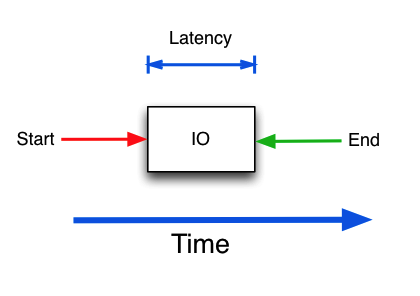
Latency is how fast a single I/O-request is handled. This is very important, because a storage subsystem that can handle 1000 IOPS with an average latency of 10ms may get better application performance than a subsystem that can handle 5000 IOPS with an average latency of 50ms. Especially if the application is sensitive to latency, such as a database service.
This is a very important thing to understand: how IOPS and latency relate to each other. Here, the car analogy probably breaks down. We need a different one to better understand what is going on. So picture you are in a super market. This is a special supermarket, where customers (I/Os) are served by cashiers (disk) at an average speed of 10ms. If you divide one second with 10ms, we understand that this cashier can handle 100 customers per second. But only one at a time, in succession.
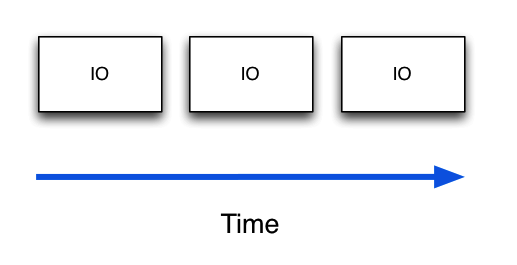
It is clear that although the cashier can handle 100 customers per second, he cannot handle them at the same time! So when a customer arrives at the register, and within those 10ms handling time, a second customer arrives, that customer must wait. Once the waiting customer is handled by the cashier, handling of that customer still takes just 10ms, but the overal processing time was maybe 15ms or worst case (two customers arriving at the same time) even 20ms.
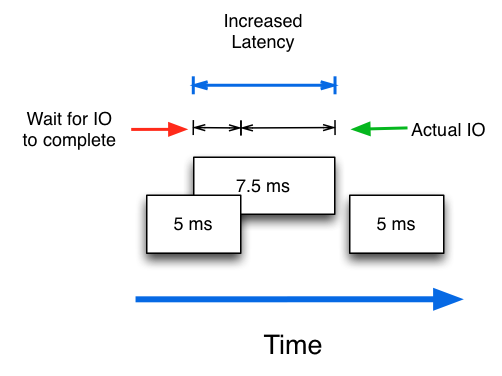
So it is very important to understand that although a disk may handle individual I/Os with an average latency of 10ms, the actual latency as perceived by the application may be higher as some I/Os must wait in line.
This example also illustrates that waiting in line increases the latency for a particular I/O to be handled. So if you increase the Read I/O queue, you will notice that the average latency will increase. Longer queues will mean higher latency, but also more IOPS!!!
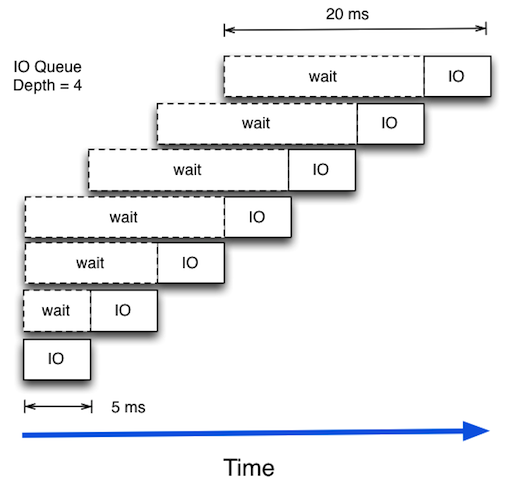
How is that possible? How can a disk drive suddenly do more random IOPs at the cost of latency? The trick lies in that the storage subsystem can be smart and look at the queue and then order the I/Os in such a way that the actual access pattern to disk will be more serialised. So a disk can serve more IOPS/s at the cost of an increase in average latency. Depending on the achieved latency and the performance requirements of the application layer, this can be acceptable or not.
In future blog posts I will show some performance benchmarks of a single drive to illustrate these examples.

